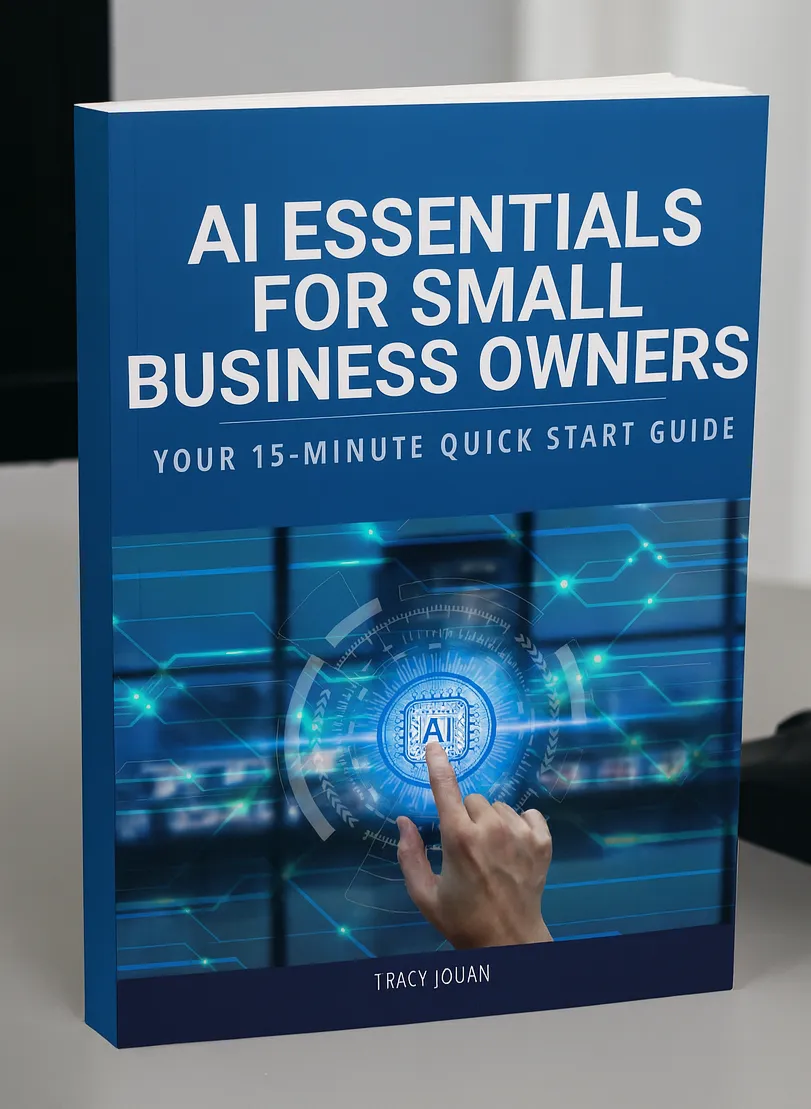
AI Essentials for Small Business Owners: Your 15-Minute Quick Start Guide
Hi, I’m Tracy, founder of Lumaris AI Solutions. After 27 years leading businesses across agriculture, energy, and risk management, I’ve watched countless small business owners struggle with the same challenge: too much to do, not enough time.
The pressure to “do it all” while staying competitive can feel overwhelming—especially when you’re hearing about AI everywhere but don’t know where to start.
That’s exactly why I created Lumaris AI Solutions.
What If AI Could Give You Back 10 Hours Every Week?
Here’s the truth: AI essentials for small business don’t have to be complicated. You don’t need a tech degree, a massive budget, or months of training. What you need is clarity, the right tools, and a practical approach.
While others promise complex AI transformations, we focus on mastering the fundamentals first. AI for small business should never replace the human spark that makes your business special—it should amplify your potential and give you back time to focus on what you do best.
I’ve seen what happens when small businesses try to do too much too fast with AI. That’s why we start simple, build confidence, and create lasting change that actually sticks.
Let’s Bust Some Myths
Before we dive into tools, let’s clear the air. I hear these objections constantly, and they’re holding smart business owners back.
Myth #1: “AI is only for big companies with huge budgets.” Reality: Tools like ChatGPT and Canva cost less than your monthly coffee budget and are designed for everyday business owners. Most essential AI tools cost $10–30 per month. That’s it.
Myth #2: “AI will replace my staff and eliminate jobs.” Reality: AI handles the tedious stuff—data entry, email drafts, scheduling—so your team can focus on customers, creativity, and growth. Your people become more valuable, not obsolete.
Myth #3: “It’s too expensive and complicated.” Reality: The best AI tools work with plain English. No coding, no complex setup—just clear instructions.
Myth #4: “I need to be tech-savvy to make this work.” Reality: If you can type an email and follow simple steps, you can use AI. Seriously.

The 5 AI Tools Every Small Business Should Know
Let me introduce you to five tools that can transform how you work. These are beginner-friendly, affordable, and immediately practical.
1. ChatGPT (Your Digital Business Assistant)
What it is: A conversational AI that helps with writing, analysis, and problem-solving.
How it helps: Drafts professional emails, creates marketing content, analyzes data, and brainstorms solutions.
Quick win example: “Write a polite but firm follow-up email for an overdue invoice. Keep it professional and solution-focused.”
2. Canva Pro (Design Made Simple)
What it is: A user-friendly design platform with AI features like Magic Write and background removal.
How it helps: Create professional marketing materials, social posts, and presentations—even without design skills.
Quick win example: Use Magic Write to generate social media captions, then drop them into branded templates in under 10 minutes.
3. Otter (Your Meeting Memory)
What it is: An AI-powered transcription and meeting summarization tool.
How it helps: Records, transcribes, and creates action items from meetings automatically.
Quick win example: After any meeting, get a clean summary with next steps that you can immediately share with your team.
4. Grammarly (Professional Communication)
What it is: An AI writing assistant that improves grammar, tone, and clarity.
How it helps: Ensures every email, proposal, and document reflects your professionalism.
Quick win example: Never send another email with typos that could hurt your credibility with clients.
5.Make or Zapier (Automation Magic)
What it is: Platforms that connect your business apps and automate workflows.
How it helps: Automatically moves data between systems and triggers actions without manual work.
Quick win example: New customer inquiry → automatically added to CRM → welcome email sent → follow-up scheduled.
How to Actually Use These Tools (Without Overwhelm)
Here’s the secret: AI essentials for small business start with one simple concept—prompts.
A prompt is simply what you type into an AI tool to get useful results. Think of it as giving AI clear instructions, like you would a smart assistant.
The Four-Step Process
Step 1: Choose Your Tool - ChatGPT → writing, analysis, customer communication, planning -Otter → meeting notes and summaries - Canva Magic Write → marketing copy and social content - Automation tools → connecting systems and workflows
Step 2: Copy, Paste, Customize Take any prompt that fits your need, paste it into your chosen tool, replace the bracketed sections with your specific details, and hit enter.
Step 3: Refine the Results Think of AI as your first draft writer. Ask for adjustments: “Make this friendlier” or “Shorten to 3 bullet points.” Keep tweaking until it sounds like you.
Step 4: Build Your Playbook Save prompts that work well for your business. Create your own variations over time. This is how you build sustainable AI habits.
10 Copy-Paste Prompts for Immediate Use
Ready to try? Here are prompts you can use right now:
Professional Email Response: “Help me respond professionally to this customer email: [paste email]. Keep it clear, empathetic, and solution-focused while maintaining my business’s friendly but professional tone.”
Meeting Action Items: “Turn these meeting notes into a clear action item summary with owners and deadlines. Format it so I can send it directly to my team: [paste notes]”
Social Media Content: “Create 3 engaging social media posts for my [business type] that focus on customer value, not sales. Make them conversational and easy to adapt for LinkedIn or Facebook.”
Financial Insights: “Review these monthly expenses and identify 3 potential cost-saving opportunities for a small business: [paste expense list]. Focus on practical, actionable suggestions.”
Customer Service Templates: “Write 5 professional yet warm responses to common customer concerns about [specific issue]. Each should acknowledge the problem, provide a solution, and maintain goodwill.”
Content Creation: “Write a 400-word article explaining [topic] for small business owners. Use a conversational tone, include practical tips, and end with a clear next step.”
Local Marketing Ideas: “Suggest 5 low-cost marketing strategies for a [business type] in rural Alberta. Focus on community engagement and word-of-mouth opportunities.”
Proposal Framework: “Create a professional service proposal template for [service type] that includes clear pricing, timeline, and next steps. Keep it straightforward and client-focused.”
Policy Development: “Draft a simple, clear company policy about [topic] for a small business. Make it professional but easy for employees to understand and follow.”
Follow-Up Automation: “Write a warm, professional email template for automated follow-up after someone fills out our contact form. Include next steps and maintain our approachable tone.”
Remember: AI gives you the foundation—you add the human touch that makes it authentically yours.
The Lumaris Approach: Being Brilliant at the Basics First
At Lumaris AI Solutions, we’ve developed a proven framework that helps small businesses adopt AI without the overwhelm. We call it being brilliant at the basics first.
The Four Steps:
Strip Back to Essentials - Identify what truly matters in your business operations—where you’re spending time that doesn’t add value.
Align to Purpose - Ensure every AI implementation supports your core business goals and values.
Brilliant Execution - Master the fundamentals before adding complexity. Get really good at the basics.
Strategic AI Integration - Layer in AI tools that amplify your strengths and eliminate time drains.
Common mistakes we see: - Tool shopping first—choosing AI before understanding your needs - Trying everything at once—overwhelming teams with too many changes - Automating broken processes—making bad workflows faster, not better - Skipping the basics—jumping to advanced AI without solid fundamentals
The Lumaris difference? We fix the foundation before building the house.
Your Next 15 Minutes
Here’s my challenge to you: Pick one prompt from this guide and try it right now. If it saves you even 15 minutes this week, imagine what consistent AI use could do for your business over the next 6 months.
The future isn’t about choosing between human expertise and AI efficiency—it’s about combining them. Let’s make AI for small business work for you so you can focus on what you do best.

